Omnipod Pod Compatibility
User Scenarios
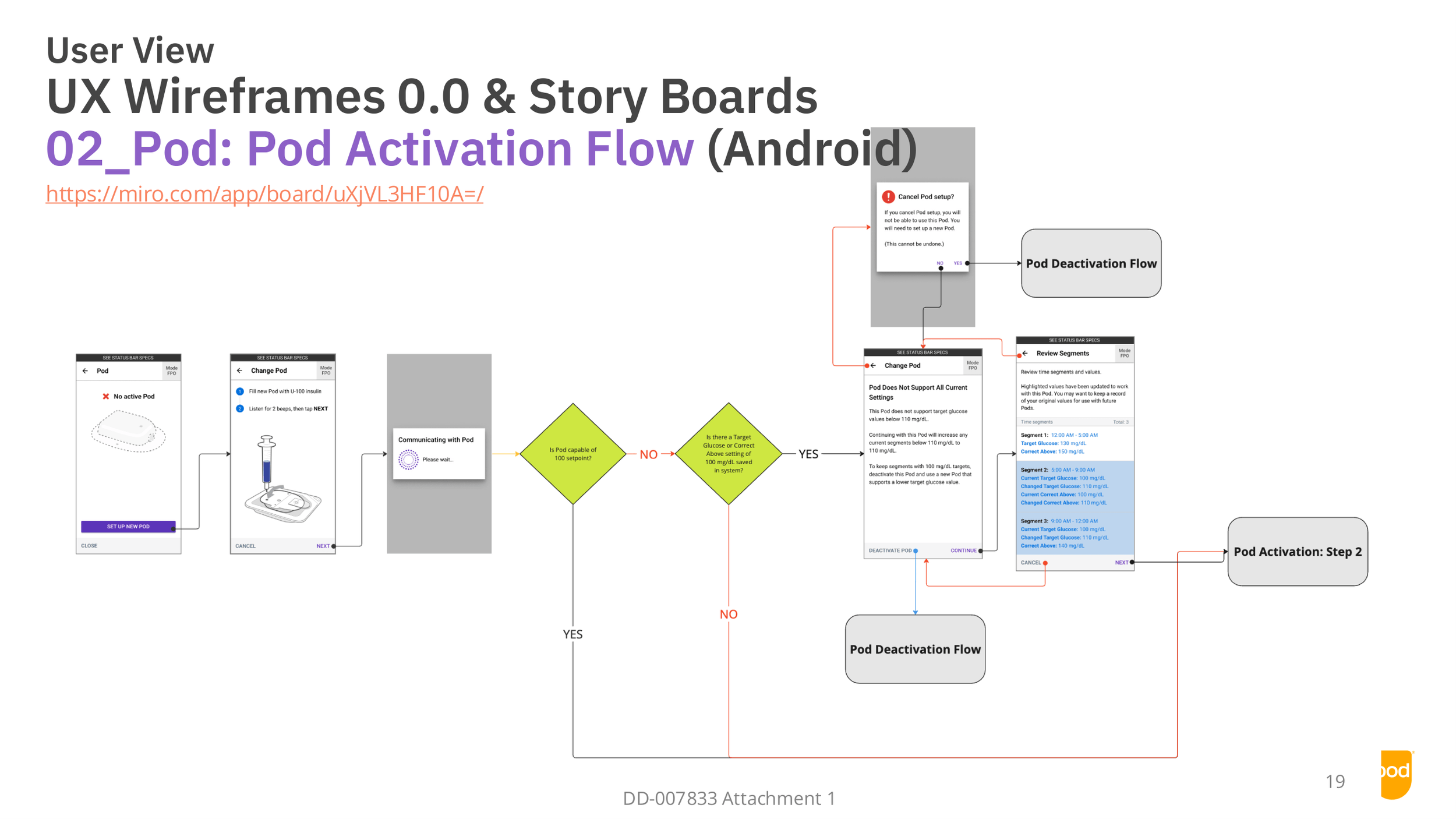
Pod Activation
Project Overview
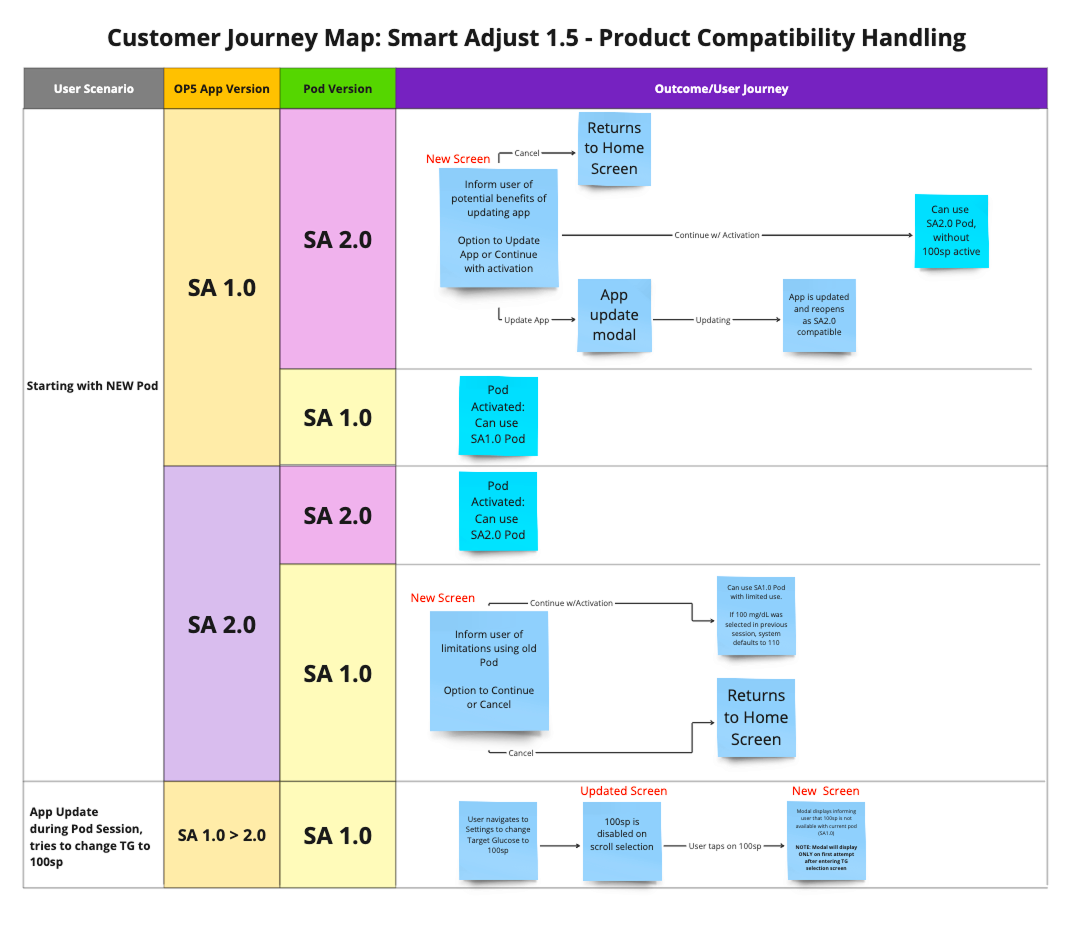
A new insulin delivery Pod with an updated algorithm will replace the current Pod. It lets users set a lower target glucose of 100 mg/dL instead of 110 mg/dL. The task is to identify and design solutions for the Omnipod 5 app that ensure backwards compatibility, so customers who continue using older Pods can keep using the app smoothly until they upgrade.
Design Role
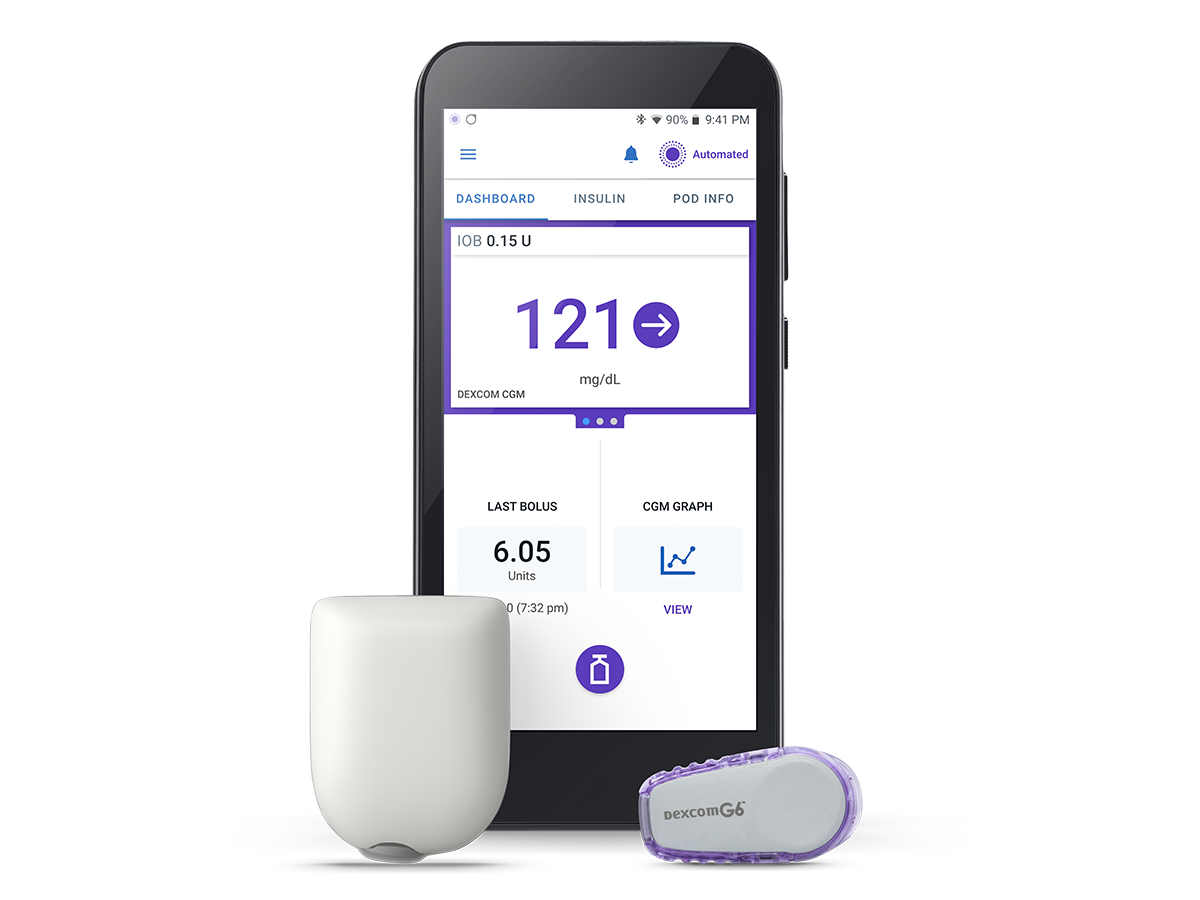
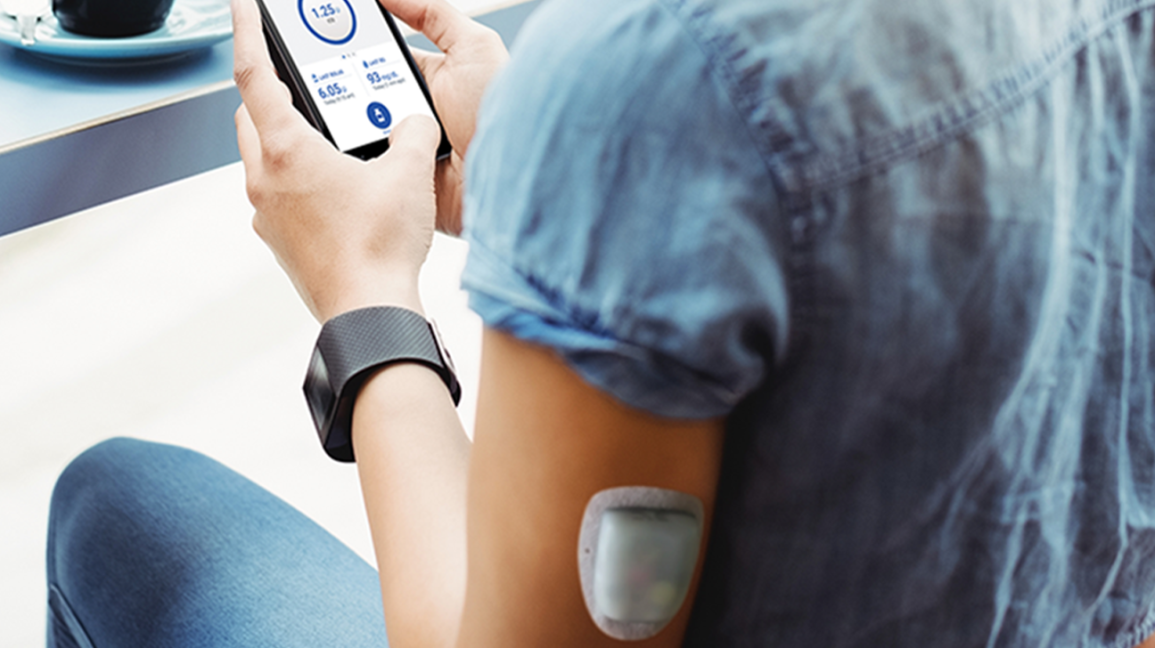
Lead Designer (Android Platform)
Teams collaborated with: Product Management, Systems Engineering, Software Development, UX Research, Human Factors.
Project timeline: 6 months
Challenges
Development timeline and scope.
Finding alignment between the MVP and Ideal solution.
Informational content strategy.
Impact to workflow of future feature products.
Discover & Define
What are the user scenarios to design for?
How will the current workflow be impacted?
How to inform and educate user on changes?
How will system detect Pod differences?
Impact on packaging/labeling?
How is backwards compatibility handled with other systems?
Solution Workflow
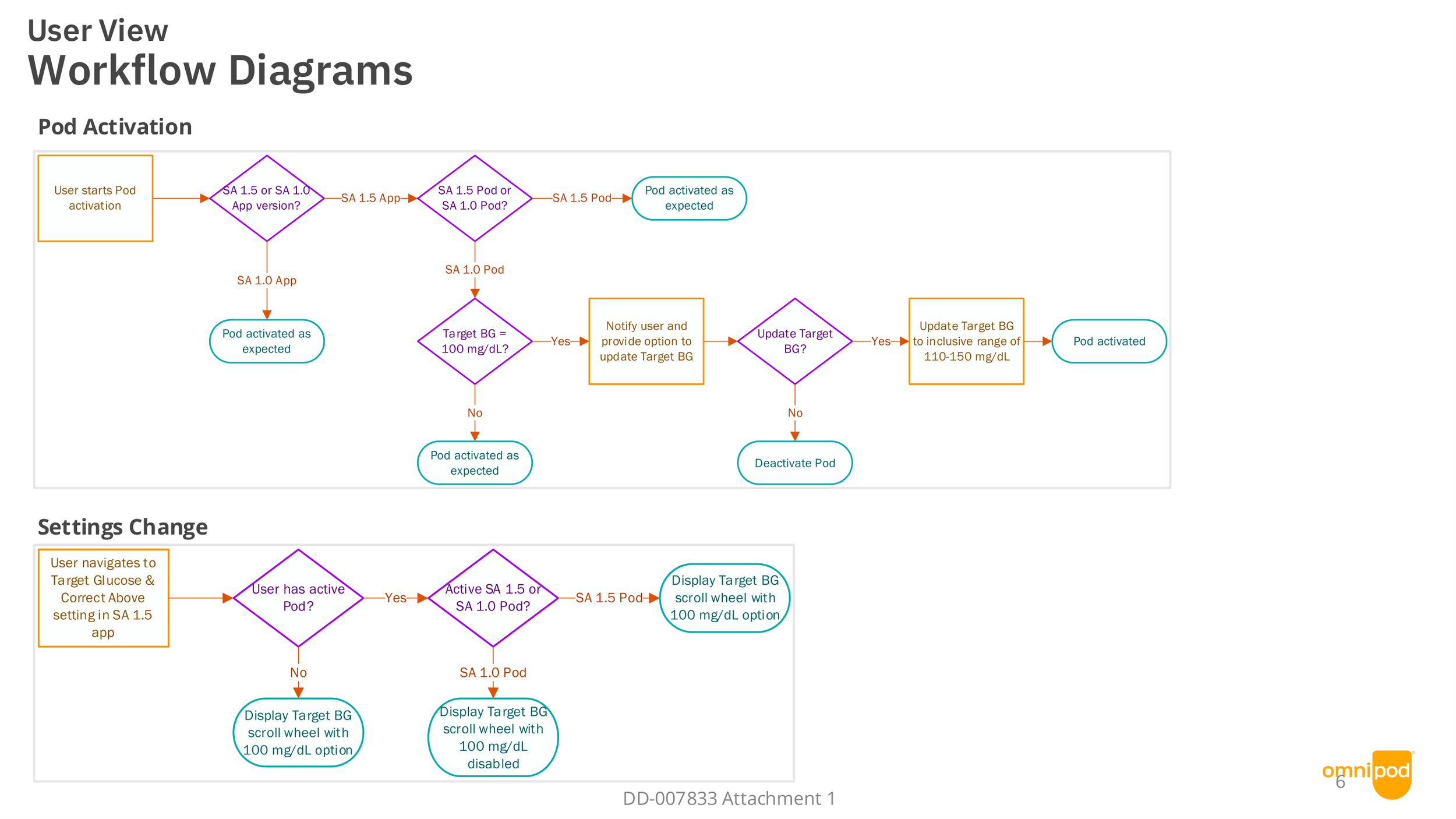
New Screens
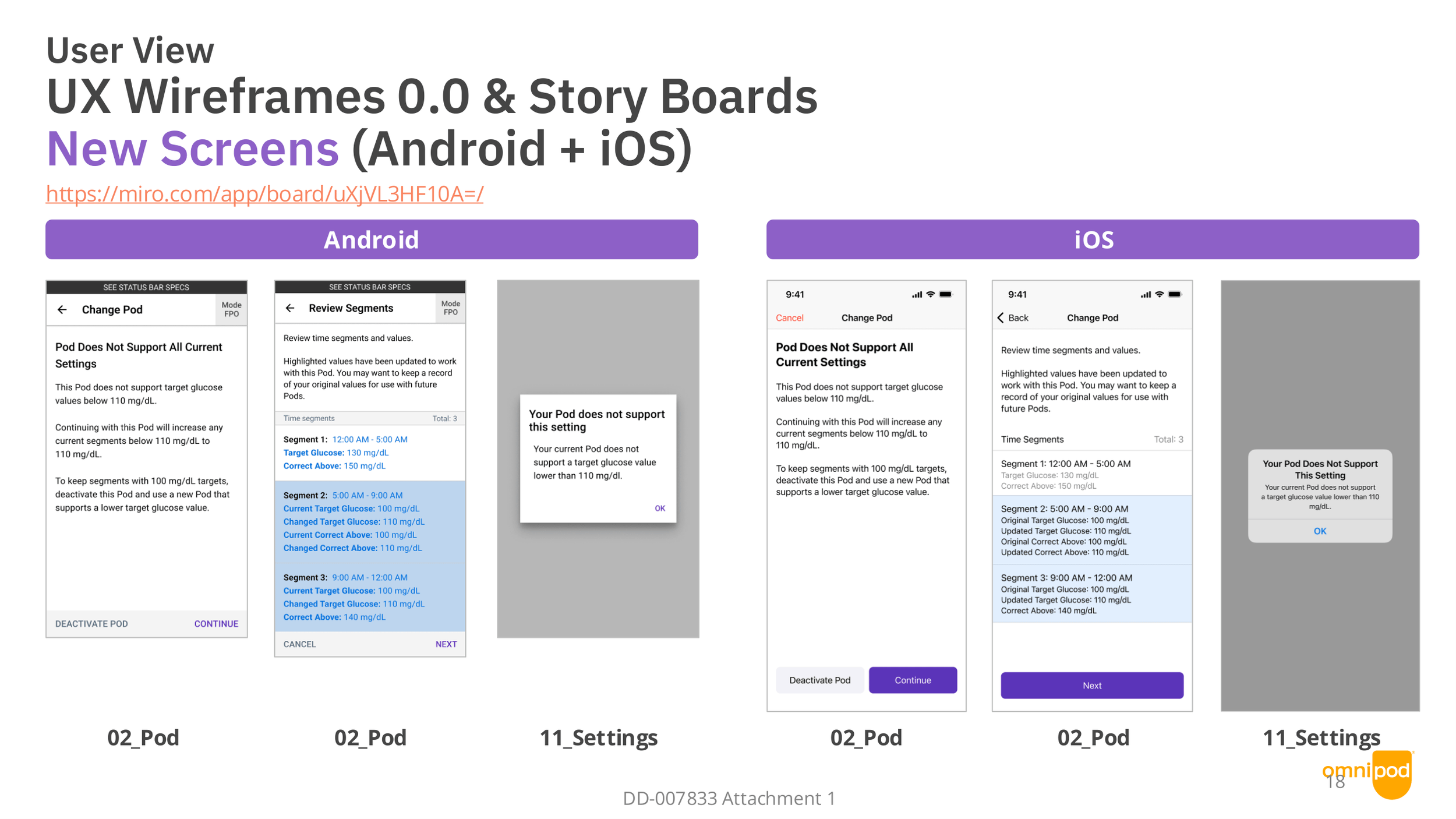
UI Workflow
Pod Activation
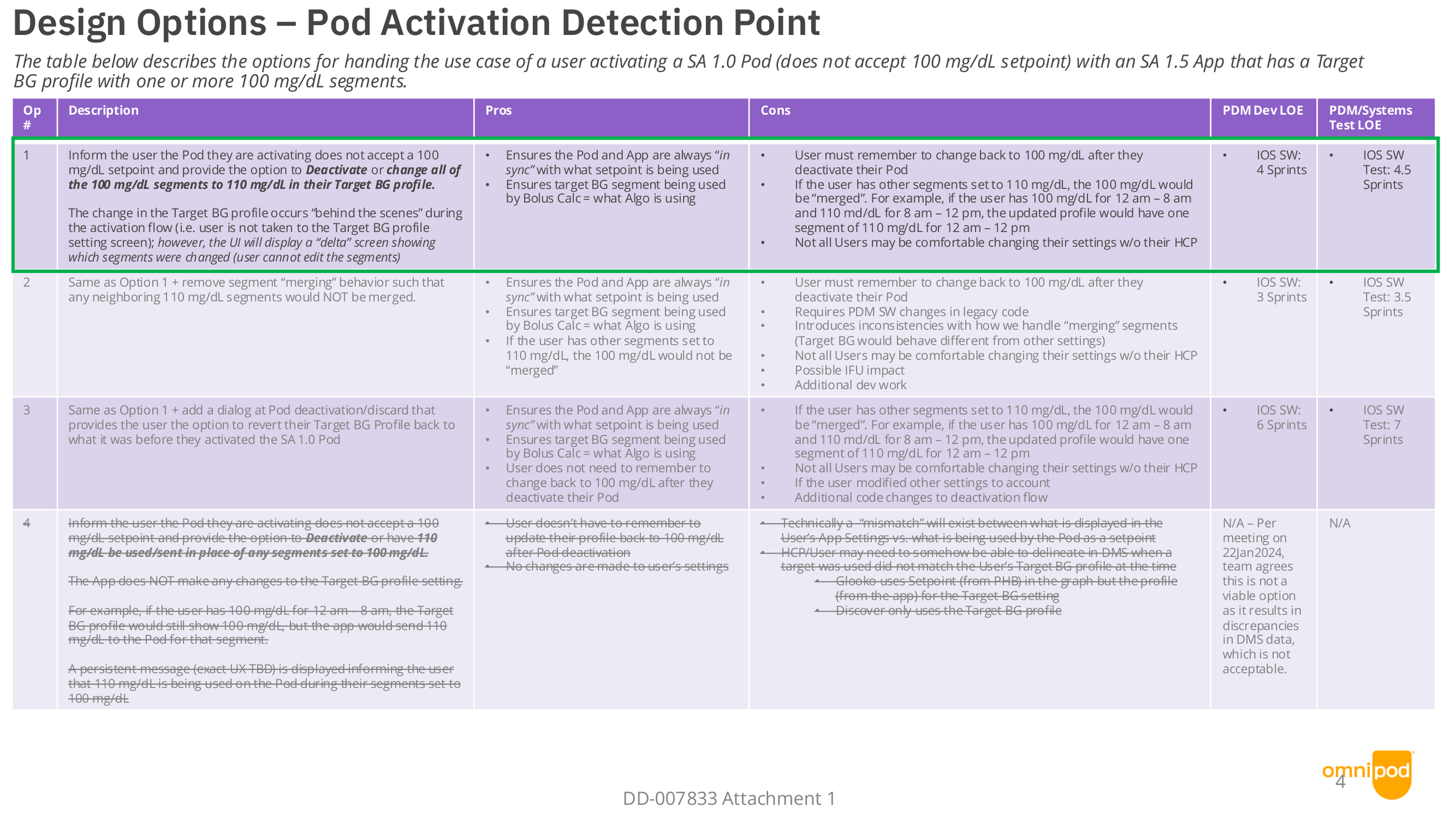
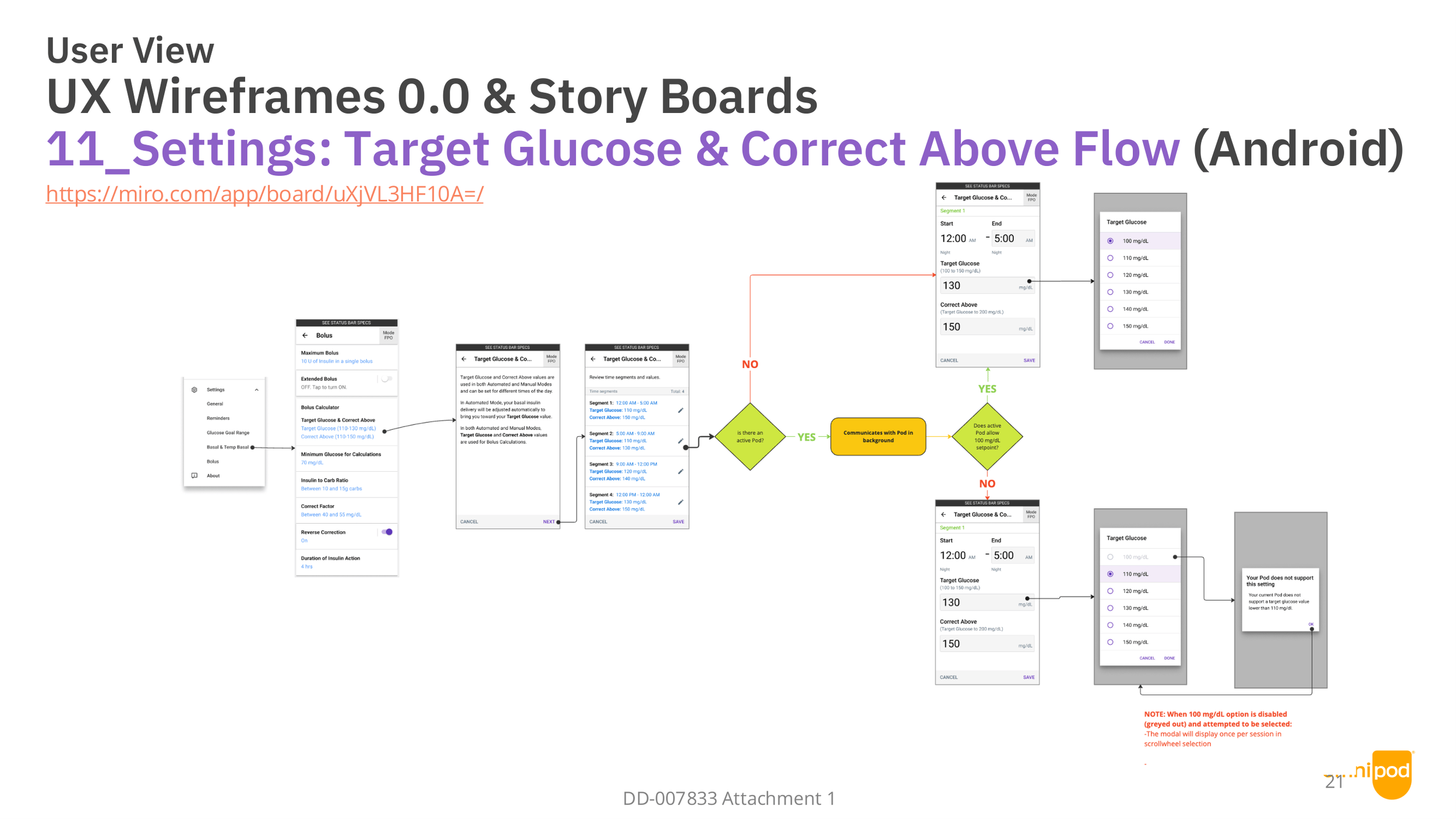
Design options for users with SA 1.5/2.0 app using a SA 1.0 Pod navigating through Profile Settings.
Design options for users with SA 1.5/2.0 supporting app using a SA 1.0 Pod during activation process.
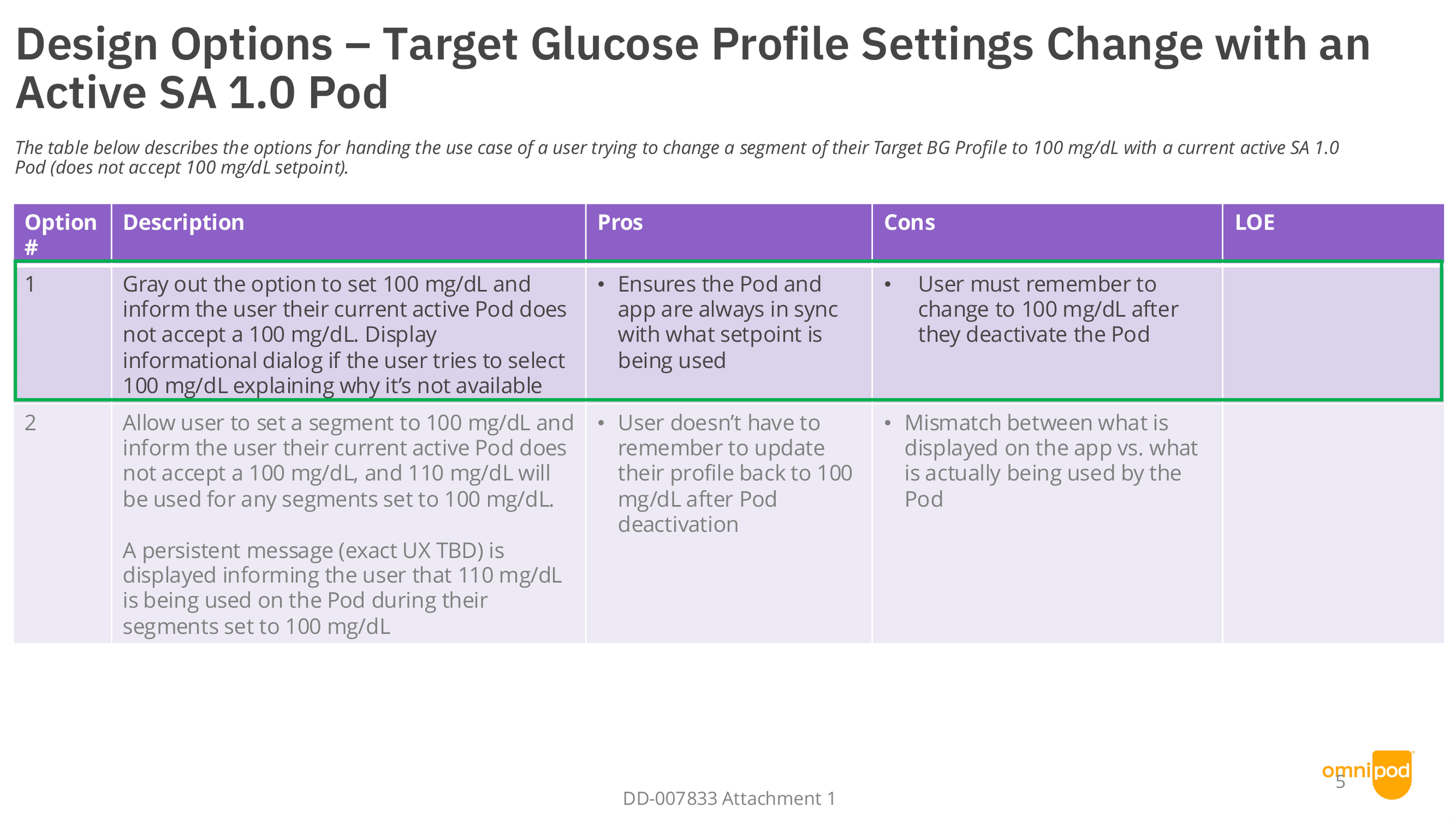
Settings
Design Considerations
Detect which Pod is paired and show only settings that Pod supports.
Add support for the 100 mg/dL Target Glucose option for the new Pod.
Keep the 110 mg/dL Target option available for users with the current Pod.
Ensure targets shown in summaries, graphs, and reports match the paired Pod.
Prevent users from selecting a target their Pod doesn’t support; show clear messaging if they try.
Migrate or validate existing user settings when switching Pods (e.g., map unsupported targets to the nearest supported value or prompt the user to choose).
Update onboarding and Pod pairing flow to explain Pod-specific features and any limits.
Ensure firmware/version checks prevent incompatible app-Pod combinations.
Revise UI copy and help content to reference the correct Target Glucose options per Pod.
Settings